The score is already on the stream
The overlay is fed by the same ball-by-ball scoring you are doing, so runs, wickets, overs, batters and the bowler update on the broadcast without anyone typing them in twice.
CricLogs scores the match and streams it from the same Android phone. The live score sits on the video, fed by the scoring, so there is no laptop, no OBS and no second person typing the score. Stream to your own YouTube channel, the CricLogs channel or any platform with RTMP. Core streaming is free; optional Pro adds unlimited streaming.
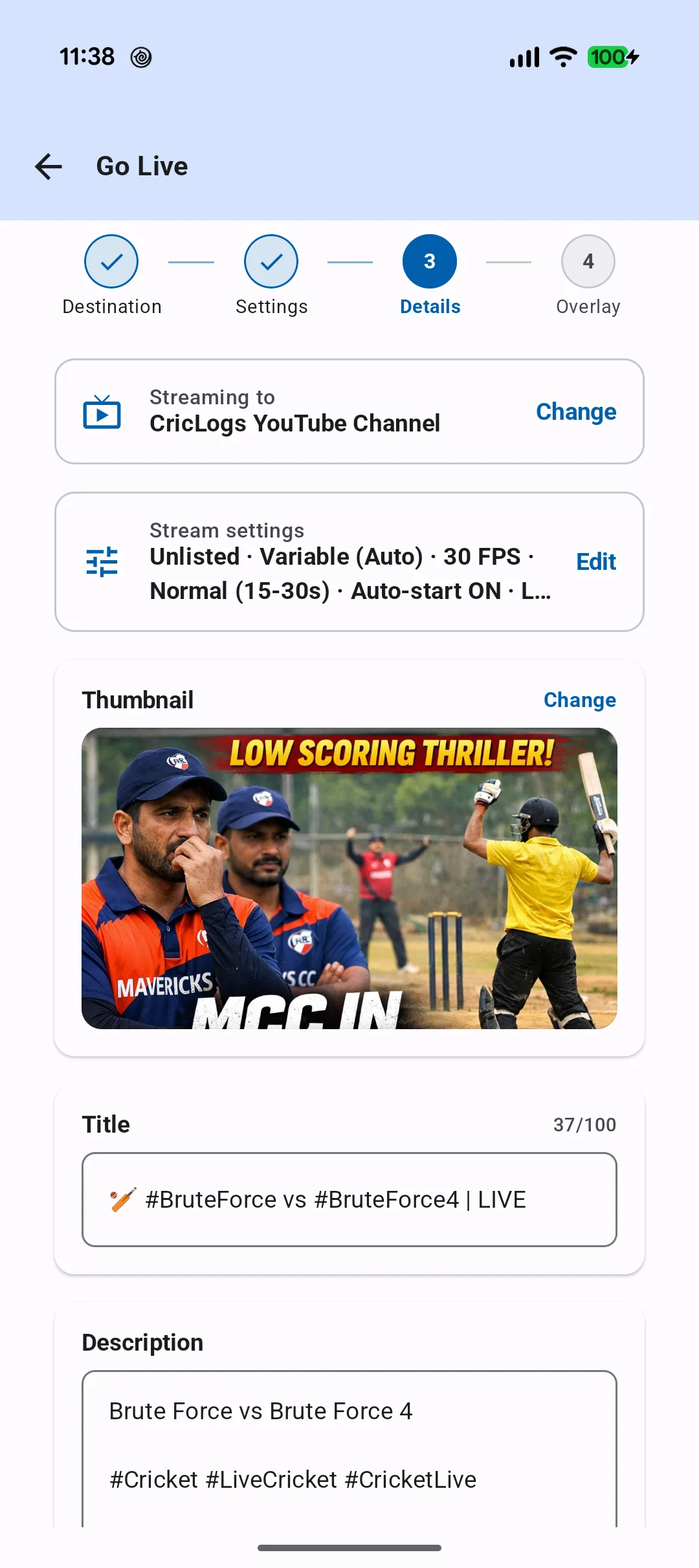
This local match was scored and streamed to YouTube with CricLogs from the ground. Playback starts at a highlight so you can see the score strip the way supporters see it.
Prefer YouTube? Open this sample cricket stream on YouTube.
Everything a local match needs to look like a broadcast, from one phone on a tripod.
The overlay is fed by the same ball-by-ball scoring you are doing, so runs, wickets, overs, batters and the bowler update on the broadcast without anyone typing them in twice.
Pick a classic strip such as Classic Dark or Ocean Blue, or switch to Team Colours and choose from 10 colours for each side, with a live preview before you start.
Match the quality to the ground's internet. Choose resolution, frame rate and bitrate on the Go Live screen. See streaming cricket in 4K.
Landscape for viewers on TV and laptops, portrait for supporters watching on phones from a WhatsApp link. Portrait suits box cricket and turf matches.
Turn on Voice Isolation before going live to cut wind and crowd noise from the phone's microphone.
Already streaming from a laptop? Each match has an overlay link to add as a browser source. See the OBS and Prism score overlay.
Streaming lives inside the same match screen you score from. This is the short version; the full YouTube streaming guide covers camera position, upload speed and settings at the ground.
Download the Android app from Google Play, open it and log in to your CricLogs account.
Create the cricket match, enter the teams and match details, and begin scoring from the match screen.
After the match has started, go to the Go Live tab from the cricket match screen.
Connect your own YouTube channel, select the CricLogs YouTube channel, or enter an RTMP URL and stream key.
Set quality, orientation, title and thumbnail, choose a score strip or team colours, then start the broadcast and share the link.
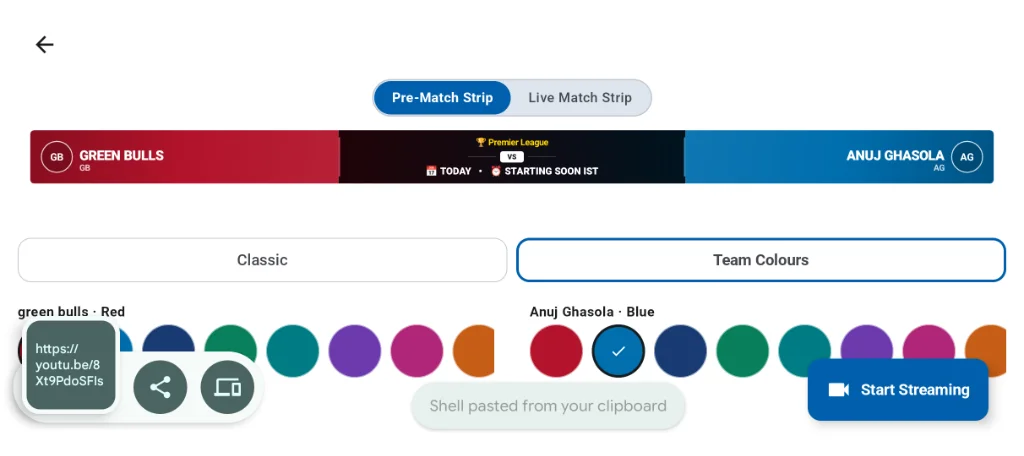
Team Colours gives each side its own colour on the score strip, picked from ten swatches, with a live preview before the first ball goes out. Prefer something neutral? Pick one of the nine classic strips instead.
Choose the destination on the Go Live screen, match by match.
Keep the stream with your club, team or tournament videos and reach the subscribers you already have.
No channel, or not verified yet? Choose the CricLogs channel in the destination step and share the link.
Enter a custom RTMP URL and stream key on the Go Live screen to stream where the platform provides one.
Pick the guide for the problem in front of you.
Camera position, upload speed, settings, audio and a match-day checklist.
Where to put the tripod, and how high, for each kind of ground.
Three phone kits by budget, from about ₹2,000 to a full-day tournament setup.
Stream every match of a tournament with branding and a schedule.
What to change when the stream stutters or cuts out mid-match.
Cricket score live streaming kaise kare mobile se, step by step.
Yes. Core local cricket streaming to YouTube is free with CricLogs, with the live score overlay included. Optional Pro adds unlimited live streaming and advanced Insights.
No. You can stream to your own YouTube channel or choose the CricLogs YouTube channel in the Go Live flow.
No. The subscriber minimum applies to going live from inside the YouTube mobile app. CricLogs streams through YouTube's encoder path, which needs a verified channel with no live streaming restrictions in the past 90 days.
CricLogs streams to YouTube directly, and to other platforms through a custom RTMP URL and stream key entered on the Go Live screen, where the platform provides one.
No. CricLogs adds the score overlay to the video on the phone itself. If you already stream with OBS Studio or Prism Live Studio, each match also has an overlay link you can add as a browser source.
Yes. Choose portrait if most people will watch on phones from a WhatsApp link, as with box cricket and turf matches. Choose landscape if they will watch on YouTube on a TV or laptop.
About 5 Mbps of steady upload for 720p and 8 Mbps for 1080p at 30 FPS. 4K needs about 15 to 25 Mbps over 5G or reliable venue Wi-Fi. If the ground's connection is weak, a steady 720p stream is better than a 1080p stream that buffers.
Yes. Go Live sits on the match screen, and the score on the stream updates from each ball you score. A second scorer can also score from another phone while the streaming phone stays on the tripod.
Download CricLogs, start scoring and put the live score on your YouTube stream from the same phone.
Get CricLogs on Google Play