Cricket live stream buffering or dropping? Find the cause in two minutes
When a stream struggles mid-match there is no time to read forums. Work out first whether the problem is at the ground (upload, heat, battery) or at the viewer's end, then apply the fix. This page is the long version of the troubleshooting table in our ground setup guide.
The short answer
- Everyone buffering? Your upload can't keep up. Drop to 720p or 30 FPS now; fix the connection at the break.
- Stream stops by itself? Usually heat. Shade the phone and add a cooler; then check the connection.
- Only one viewer buffering? It's their internet. Ask them to lower YouTube quality.
- Choppy video but no buffering? The phone is too hot to hold 60 FPS. Shade it, or switch to 30 FPS.
- Prevent it: test upload at the tripod spot, turn off battery saver, and keep about double your bitrate as headroom.
First: whose problem is it?
| Who sees it | Where the problem is | Go to |
|---|---|---|
| Every viewer buffers or the stream keeps reconnecting | The ground: upload speed or connection | Upload and connection |
| The stream stops completely, or the phone gets hot | The ground: phone heat or power | Heat and power |
| Picture is choppy or juddery, but plays | The phone can't encode at the frame rate | Heat and power |
| One or two viewers buffer, others are fine | Those viewers' internet | Viewer-side fixes |
| Score on screen is behind the play | Scoring, not streaming | Score strip delay |
A quick check: ask two people on different networks whether they see buffering. If both do, it's at the ground.
Upload speed and connection
Streaming needs steady upload, the direction most speed tests don't headline. A ground with 50 Mbps download can have 3 Mbps upload.
| Stream setting | Upload you need, sustained | Fix if you have less |
|---|---|---|
| 720p, 30 FPS | About 5 Mbps | Move the phone, or switch network |
| 1080p, 30 FPS | About 8 Mbps | Drop to 720p |
| 1080p, 60 FPS | About 10–12 Mbps | Drop to 1080p30 first, then 720p |
| 4K | 25+ Mbps | Drop to 1080p; 4K on mobile data is rarely stable |
- Test at the tripod, not the car park. Signal can change over 50 metres. Run an upload test where the phone will actually stand.
- Never stream through another phone's hotspot. It adds a second weak link and heats both phones.
- Try another network. Keep a second SIM from a different operator; one is often much better at a particular ground.
- Weak 5G can be worse than solid 4G. If the phone keeps switching between 5G and 4G, set it to prefer 4G/LTE for the match.
- On Wi-Fi, make sure few other devices are using it, and keep the phone within a clear line of the router.
- Variable bitrate lets the stream lower quality briefly instead of freezing when the signal dips.
Heat and power
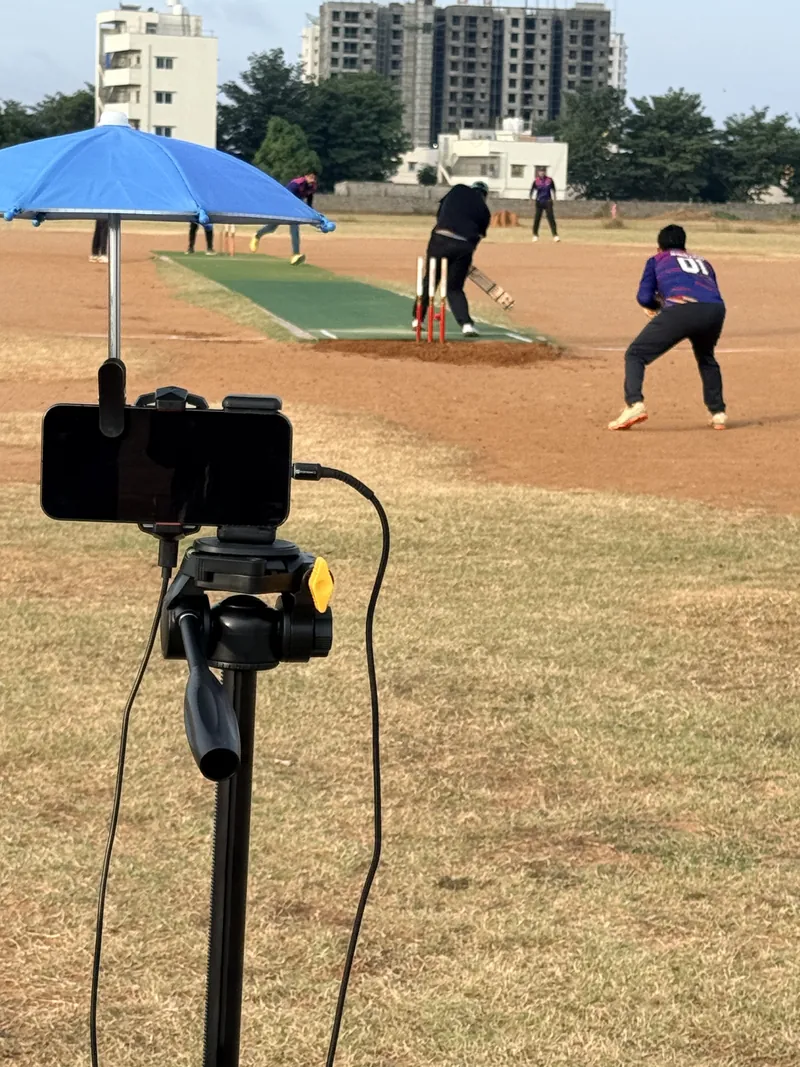
| Symptom | Cause | Fix now |
|---|---|---|
| Stream stops after 30–60 minutes in the sun | Phone overheating and throttling | Shade it, take off the case, add a clip-on cooler |
| Video turns choppy mid-innings | Phone too hot to hold 60 FPS | Switch to 30 FPS for the rest of the innings |
| Battery drops while charging | Cable or power bank can't keep up | Swap the cable first; use a 3A cable and a fast-charging bank |
| Screen dims and stream stutters | Phone protecting itself from heat | Shade and cool; lower screen brightness |
Phone settings to change before every match
- Battery saver off. Power-saving modes slow the processor and can pause network use in the background.
- Don't let Android optimise the app's battery. In battery settings, set CricLogs to unrestricted so the system doesn't throttle it during a long stream.
- Data saver off for the streaming phone.
- Do Not Disturb on, calls blocked. An incoming call can interrupt or drop the stream.
- Close other apps, especially ones that upload photos or back up in the background.
- Restart the phone before the first match of the day.
Viewer-side fixes
- Lower the quality in the YouTube player (gear icon) to 480p or 720p.
- Close and reopen the stream to jump back to live.
- Normal latency on the stream gives viewers a bigger buffer and fewer stalls than ultra-low latency. Viewers are 30–60 seconds behind live, which is fine for local cricket.
When the score strip is behind the play
The score strip shows what the scorer has entered, not what the camera sees. If it lags, the scorer has fallen behind. Catch up on the scoring and the strip updates straight away. The video itself is 30–60 seconds behind live on YouTube, so viewers may see the score change slightly before the ball on screen. That's normal.
At bigger matches, let one person look after the camera and another score on a second phone. The strip follows the scorer either way.
Pre-match checklist to avoid drops
- Upload test at the tripod spot: at least double your stream bitrate.
- Phone fully charged, power bank connected with a short 3A cable.
- Umbrella on, case off in hot weather, cooler ready for long days.
- Battery saver and data saver off; CricLogs battery set to unrestricted; Do Not Disturb on.
- Stream quality matched to the connection: 1080p30 is the safe default on mobile data.
- A 2-minute test stream before the toss.
The complete match-day checklist is in the ground setup guide.
Frequently asked questions
Why does my cricket live stream keep buffering?
Why does my live stream stop by itself?
How much upload speed do I need to stream cricket?
Why is the video choppy but not buffering?
Why is the score on the stream behind the match?
Stream with fewer drops
CricLogs streams with variable bitrate, Voice Isolation and a live score strip, free on Android.
Download free on Google Play